10 Warning Signs of a Failing Hard Drive (Before It's Too Late)
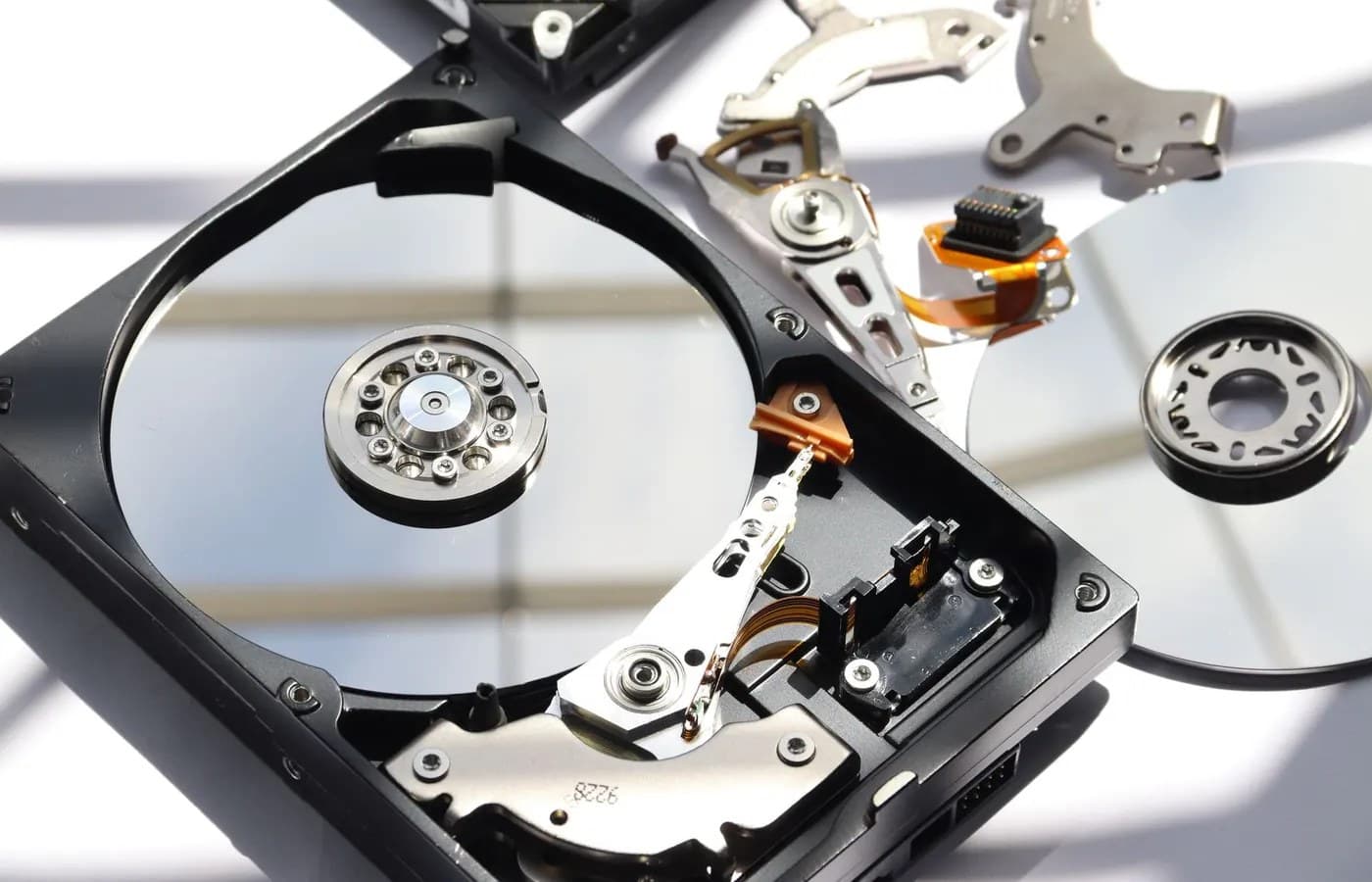
A hard drive rarely fails without warning. It usually sends signals for days or even weeks before it actually stops working, but those signals are easy to miss or explain away as something else. The problem is that once a hard drive fails completely, the data on it can become difficult or impossible to recover, and photos, documents, and years of files can disappear in a single moment.
Here are the ten most reliable warning signs, what each one actually means, and what to do the moment you notice them.
The Quick Answer
The clearest signs of a failing hard drive are unusual clicking or grinding noises, files that will not open or appear corrupted, a computer that freezes constantly during normal use, a noticeably slower boot time that keeps getting worse, and files or folders that disappear without explanation. If you notice any of these, the priority is backing up your important files immediately, before attempting any other troubleshooting, since a failing drive can go from working to completely unreadable with very little additional warning.
1. Clicking, Grinding, or Ticking Noises
This is the single most recognized warning sign of a failing mechanical hard drive, and for good reason. A traditional hard drive has a read and write head that moves across a spinning platter, and when the mechanism starts to fail, it often produces a repetitive clicking or grinding sound as it struggles to read data. This noise is sometimes called the "click of death" among technicians, and it should never be ignored. If you hear it, back up whatever you can access immediately.
Note that this specific symptom applies to traditional spinning hard drives. Solid state drives have no moving parts and will never make this noise, though they can still fail in other ways described below.
2. Files That Won't Open or Appear Corrupted
Documents that suddenly show garbled text, photos that won't display properly, or files that give an error message when you try to open them are a strong sign that data on the drive is being written or read incorrectly. An occasional corrupted file can be caused by something else, like a program crashing mid save, but a pattern of increasingly frequent corruption across unrelated files points toward the drive itself.
3. Frequent Freezing or the Spinning Wheel of Death
A computer that freezes regularly, especially while trying to open, save, or move files, is often struggling because the hard drive cannot read or write data quickly or reliably enough. This is different from freezing caused by too many programs running at once. Drive related freezing tends to happen specifically during file operations rather than general use.
4. Boot Time That Keeps Getting Slower
Every computer takes longer to start up as more software accumulates over time, but a boot time that goes from reasonable to several minutes over just a few weeks, rather than gradually over a year or two, suggests the drive is struggling to read the system files it needs during startup.
5. The Blue Screen of Death or Repeated Crashes
Frequent blue screen crashes on Windows, or unexpected restarts and kernel panics on a Mac, can have several causes, but a failing hard drive is one of the most common hardware related ones. This is especially likely if the crashes happen during specific actions like opening large files or during heavy multitasking.
6. Files or Folders That Disappear
If files you know you saved are suddenly missing, or entire folders appear empty when they shouldn't be, this can indicate that the drive's file table, the internal index that tracks where every file lives, is starting to become corrupted. This is a serious sign and often means the drive is failing rather than that you accidentally deleted something.
7. A Message Saying the Disk Needs to Be Formatted
Occasionally a failing drive will trigger a Windows message stating the disk is not formatted and asking if you want to format it now. Do not click yes. This message can appear when the drive's structure has become unreadable, and formatting at this point can make data recovery significantly harder. Back away from this prompt and get the drive checked instead.
8. Unusually Slow File Transfers
Copying or moving files that used to take seconds and now take minutes, particularly for files that are not unusually large, points to the drive struggling with basic read and write operations. This often appears alongside general slowness but is a more specific and reliable indicator on its own.
9. S.M.A.R.T. Warning Messages
Most modern hard drives include a built in monitoring system called S.M.A.R.T., which stands for Self-Monitoring, Analysis, and Reporting Technology. If your computer displays a message referencing S.M.A.R.T. status or drive health, take it seriously. This system is specifically designed to flag developing hardware problems before they become total failures, and it is rarely wrong when it raises an alert.
10. The Drive Isn't Recognized At All
The most severe sign is a computer that no longer detects the hard drive during startup, showing a message like no boot device found, or the drive simply not appearing in the operating system at all. At this stage, the drive has likely failed or is failing catastrophically, and this is not a situation to troubleshoot casually. Turning the computer off and seeking professional help immediately gives you the best chance of recovering what is on the drive.
What To Do the Moment You Notice These Signs
- Stop using the computer for anything nonessential. Continuing to write new data to a failing drive increases the risk of overwriting recoverable information and can accelerate the drive's failure.
- Back up anything you can still access, starting with what matters most. Prioritize irreplaceable files like photos and important documents over things that can be redownloaded or reinstalled.
- Do not run disk repair tools on a drive you suspect is physically failing. Software repair utilities are designed for logical errors, not mechanical or electronic failure, and running them on a failing drive can sometimes make data recovery more difficult afterward.
- Avoid opening the drive yourself. Hard drives are sealed for a reason, and opening the casing outside a controlled, dust free environment can introduce contamination that causes further, often unrecoverable, damage.
- Get the drive assessed by someone experienced with data recovery specifically, rather than general computer repair alone, if the drive is already showing serious signs like disappearing files or not being recognized.
Can Data Still Be Recovered From a Failing Drive?
In many cases, yes, particularly if action is taken while the drive is still partially functional rather than after it has stopped responding completely. The window between the first warning signs and total failure is exactly when recovery odds are highest, which is why acting quickly on any of the signs above matters so much. Even drives that are clicking, freezing, or no longer booting the operating system can often still have their data extracted through professional data recovery, since the files may remain physically intact on the platters even when the drive can no longer function normally for everyday use.
Waiting until a drive has completely stopped responding, or attempting multiple risky do-it-yourself fixes first, generally reduces the odds of a full recovery and can occasionally turn a fixable situation into a permanent loss.
Frequently Asked Questions
Can a hard drive fail without any warning signs at all?
It is possible, particularly with sudden physical damage like a hard fall or a power surge, but the majority of hard drive failures are gradual and mechanical, meaning some combination of the signs above usually appears in the days or weeks before complete failure.
Is a clicking noise always a sign of hard drive failure?
Almost always, yes, for traditional spinning hard drives. Some very faint clicking during normal read and write activity can be completely normal on certain models, but a clicking sound that is new, louder than before, or repetitive and rhythmic is a strong warning sign and should not be ignored.
My laptop is slow, does that always mean the hard drive is failing?
Not necessarily. General slowness has many possible causes, including too many background programs or a nearly full drive. Hard drive failure is more likely when slowness is combined with other signs on this list, such as file corruption, freezing during specific file operations, or unusual noises.
Should I try to recover the data myself before calling a professional?
For anything you consider genuinely important, this is generally not recommended once a drive is showing multiple serious warning signs. Consumer recovery software can work for very minor issues, but attempting recovery on a mechanically failing drive without proper equipment can reduce the chances of a successful professional recovery afterward.
How much warning do I typically get before a hard drive fails completely?
This varies significantly. Some drives show symptoms for weeks before failing entirely, while others can go from a single warning sign to complete failure within days. This unpredictability is exactly why it makes sense to treat any of the signs above as urgent rather than waiting to see how things develop.
Are solid state drives immune to these problems?
Solid state drives will never produce clicking or grinding noises since they have no moving parts, but they can still fail, typically showing signs like sudden freezing, file corruption, or the drive not being recognized rather than the mechanical symptoms associated with traditional hard drives.
The Bottom Line
A failing hard drive almost always tries to warn you first, whether through noise, corruption, freezing, or a drive that suddenly seems to be working harder than it used to. The single most important thing to do the moment you notice any of these signs is to stop treating the situation casually and prioritize your data immediately, rather than continuing to use the drive normally and hoping the problem resolves itself.
If your hard drive is showing any of the signs above, our laptop repair specialists can assess exactly what is happening and help you get your files off safely before the drive fails completely. You can get your drive checked as soon as today rather than waiting to see if the problem gets worse.